
To terminate an employee in Journyx you will need to set the employee end date in the users record in Journyx.
To do this you will need to be logged in as an user in Journyx with the Admin role.
Then navigate to Manage > User accounts > Manage Users.
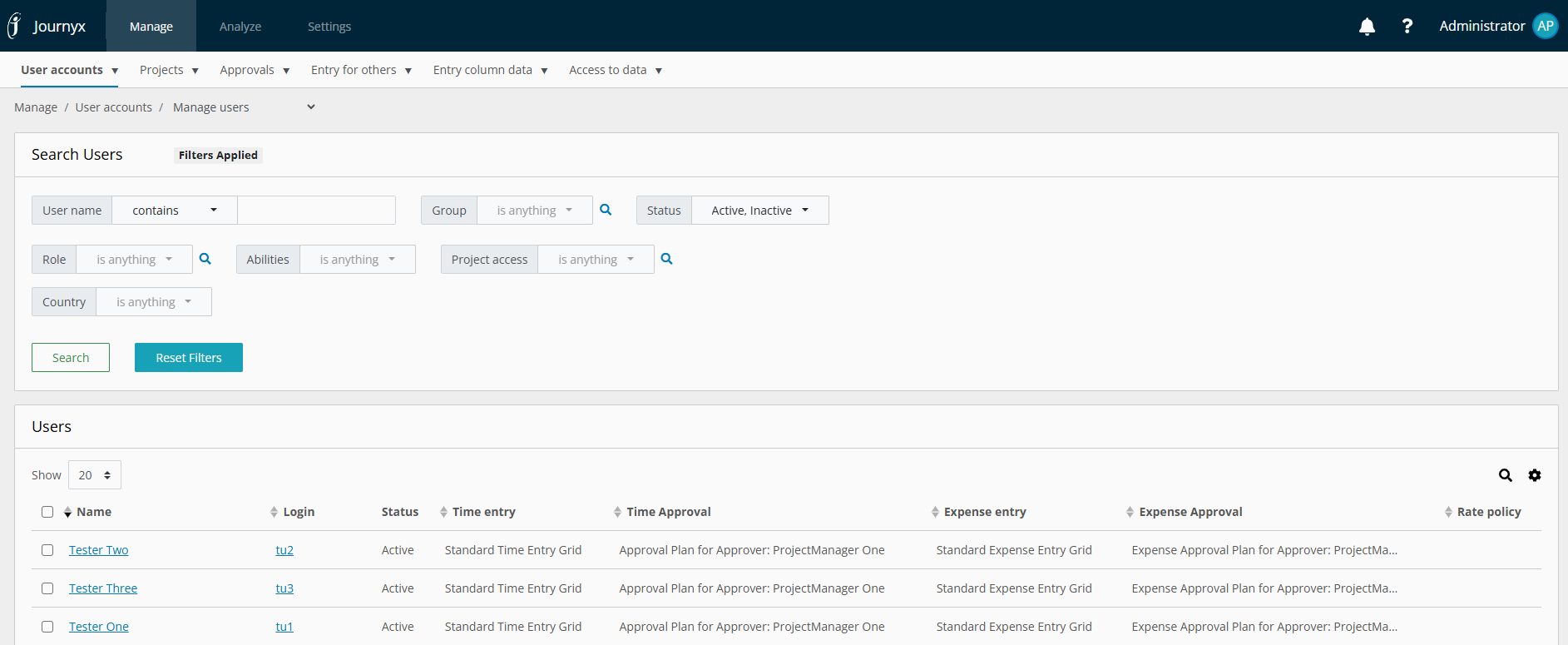
Then either search for the user in question or if they show up on that screen click on their name.
On the resulting page you will need to find the Custom Fields section at the bottom of the screen and locate Employee End Date field.
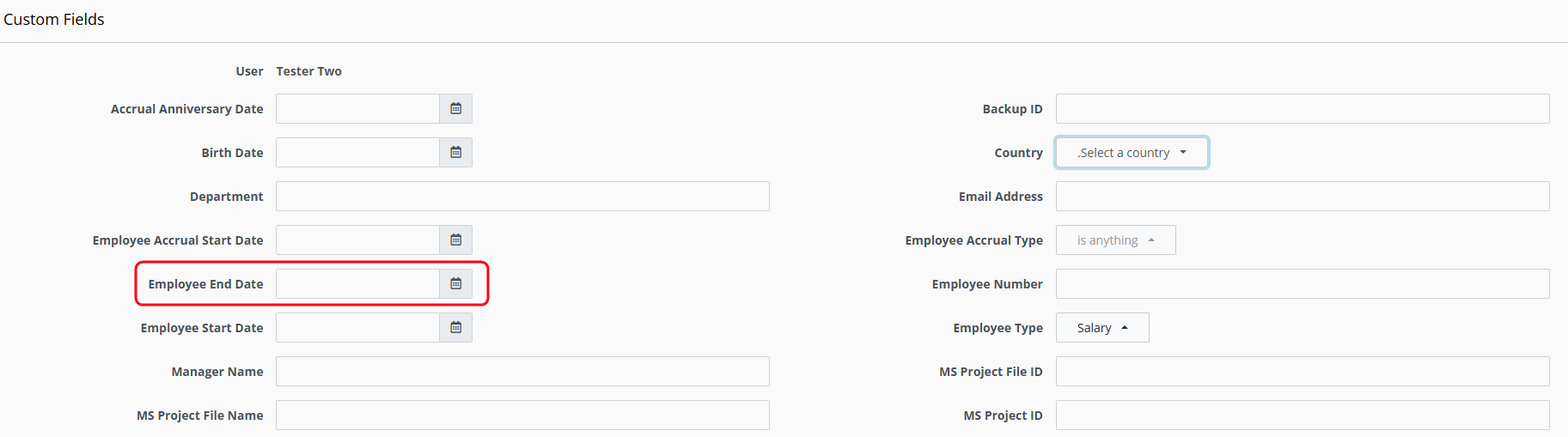
Then click on the calendar icon to the right of the field and set the employee's end date.
Click the Save button to save the change.
After that date the user will no longer be able to log into Journyx and the system should no longer send emails to or about the user if your system is configured to do so. If the end date is set for a date in the future, the user will still maintain their standard access and abilities within Journyx until after the end date.
If you have a user that is no longer with your company but you are still getting email notifications before you do the above steps you will need to follow the steps here:
How to Delete Users Sheets in Journyx